Why Us Section
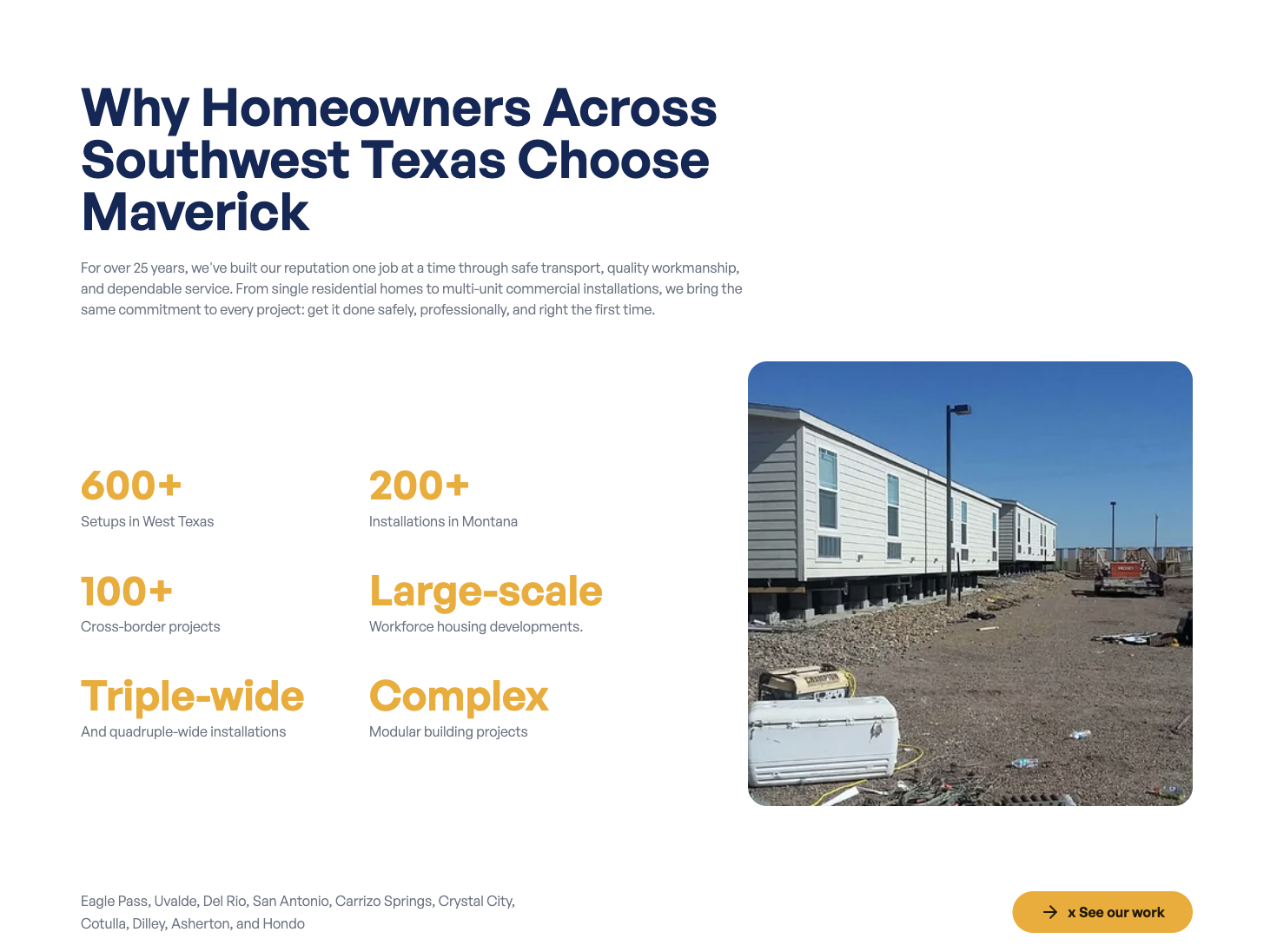
The “Why Us” section explains why customers should choose Maverick Mobile Home Services. It includes a heading, a description, a list of service areas, a photo, and a button. It also displays your key stats (like “25+ Years in Business”); those are managed separately.
Where to Find It
Section titled “Where to Find It”Section heading and text:
- Log in to Directus.
- Click Content in the left sidebar.
- Click Pages (English) > Home (for English) or Pages (Spanish) > Home (for Spanish).
- Scroll down to the Why Us Section fields.
Stat numbers (e.g., “25+ Years”, “500+ Jobs”):
- These are in the stats collection. See below.
Field Reference
Section titled “Field Reference”| Field | What it does |
|---|---|
| Title | The section heading (e.g., “Why Choose Us?”) |
| Description | The paragraph of text below the heading |
| Service Areas | The text describing your service areas (e.g., “Serving Eagle Pass and surrounding cities”) |
| Image | The photo displayed in this section |
| Action Button | The call-to-action button |
Step-by-Step: Editing the Why Us Section
Section titled “Step-by-Step: Editing the Why Us Section”- Open home (or home_es).
- Click the Title field and update the heading.
- Click the Description field and update the paragraph.
- Click the Service Areas field and update the service areas text.
- To update the photo, click Image and upload a new image.
- Click Save.
Editing the Stats (Numbers)
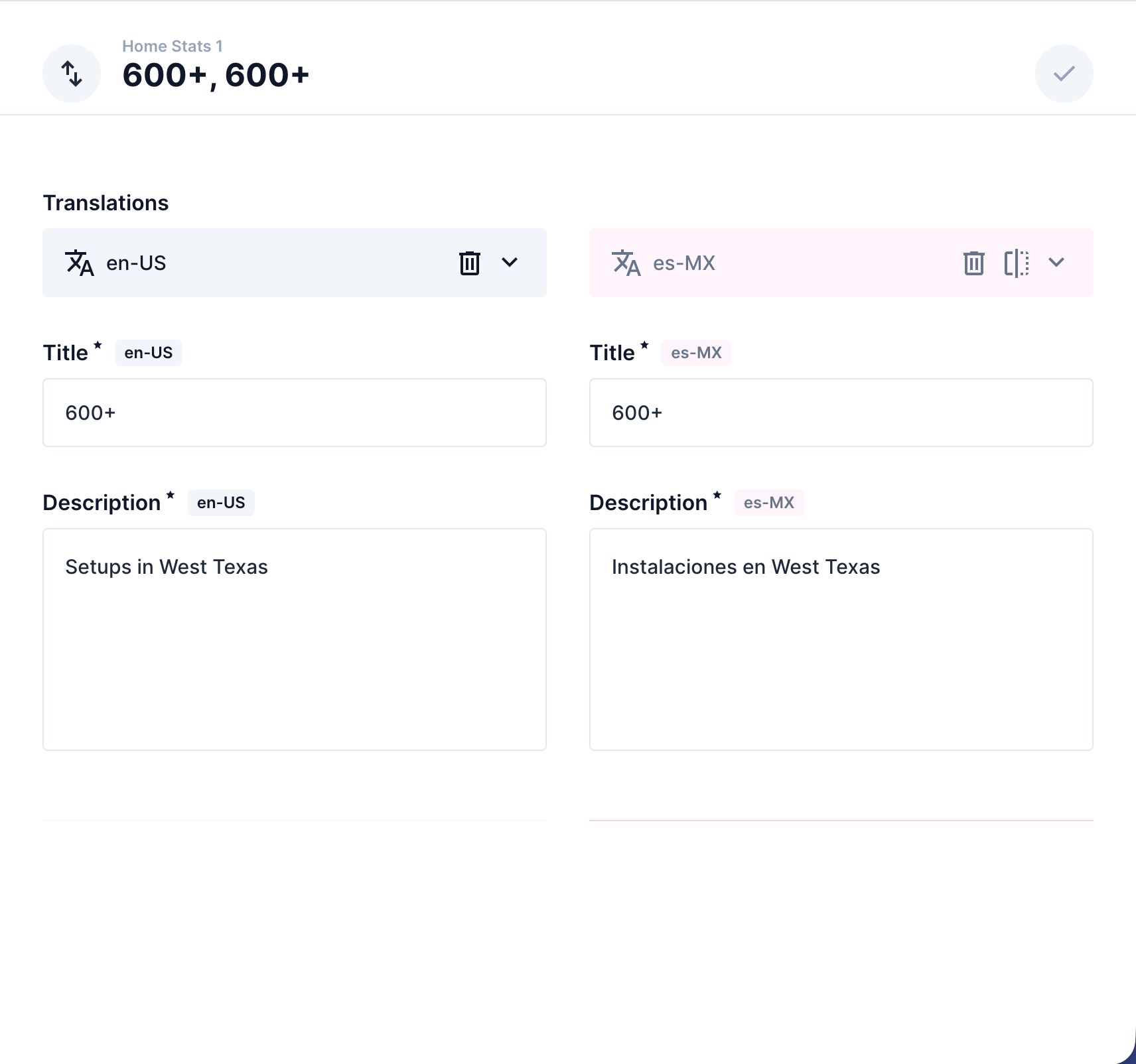
Section titled “Editing the Stats (Numbers)”The stat cards (e.g., “25+ Years in Business”, “500+ Jobs Completed”) are managed in the stats collection.
- Click Content in the left sidebar.
- Click stats.
- Click the stat you want to edit.
- Scroll to the Translations section and click the English tab (or Spanish).
- Update the title field (the number, e.g.,
25+) and the description field (the label, e.g.,Years in Business). - Click Save.