What Drives Us
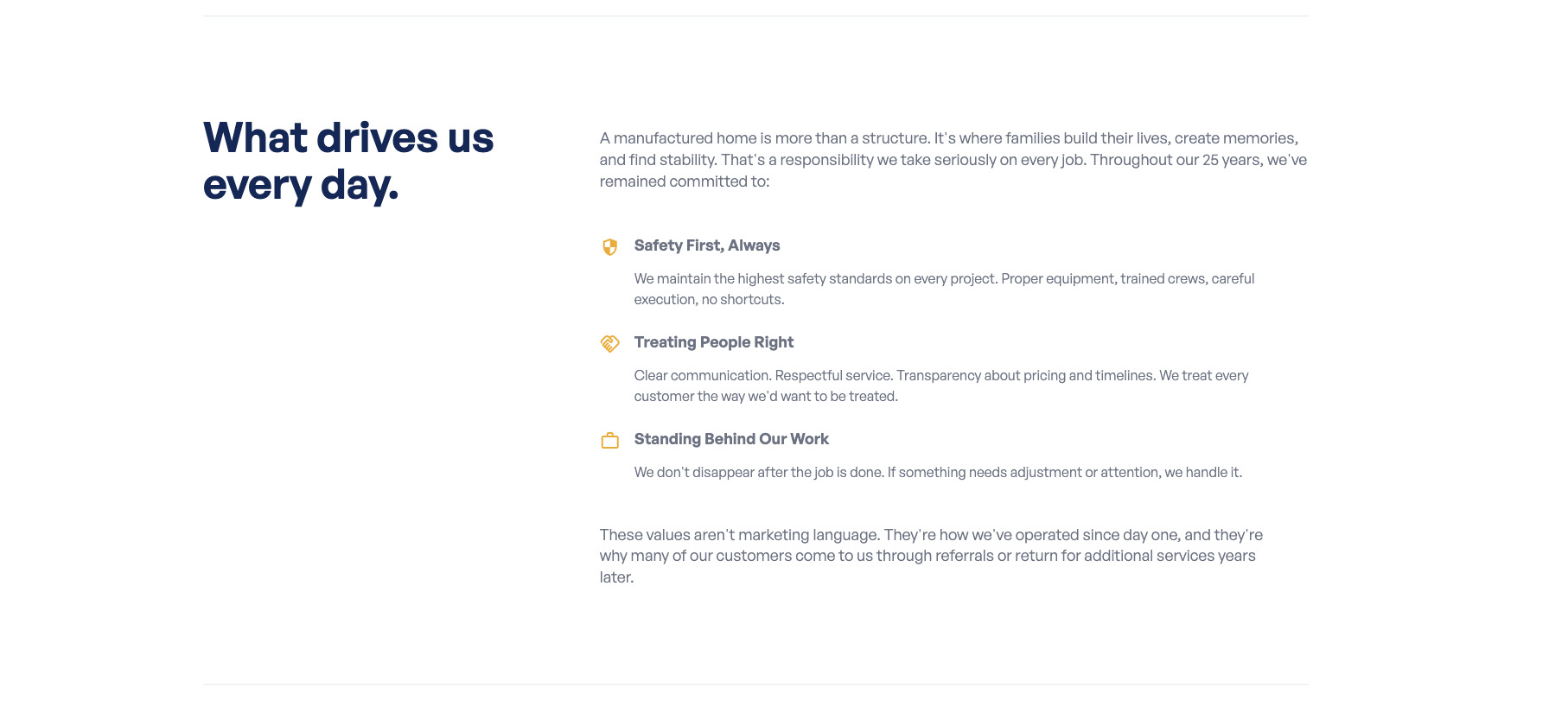
The “What Drives Us” section showcases your company’s core values, the principles that guide how you work. It has a heading, an intro paragraph, a set of value cards, and a closing paragraph.
Where to Find It
Section titled “Where to Find It”Section heading and intro/outro text:
- Log in to Directus.
- Click Content in the left sidebar.
- Click about (for English) or about_es (for Spanish).
- Scroll down to the Values Section fields.
Individual value cards (e.g., “Quality”, “Integrity”):
- These are managed in the values collection. See below.
Section Fields (in about / about_es)
Section titled “Section Fields (in about / about_es)”| Field | What it does |
|---|---|
| Title | The section heading (e.g., “What Drives Us”) |
| Intro Description | The intro paragraph shown before the value cards |
| Outro Description | The closing paragraph shown after the value cards |
Step-by-Step: Editing the Section Text
Section titled “Step-by-Step: Editing the Section Text”- Open about (or about_es).
- Click the Title field and update the heading.
- Click the Intro Description field and update the intro paragraph.
- Click the Outro Description field and update the closing paragraph.
- Click Save.
Editing the Value Cards
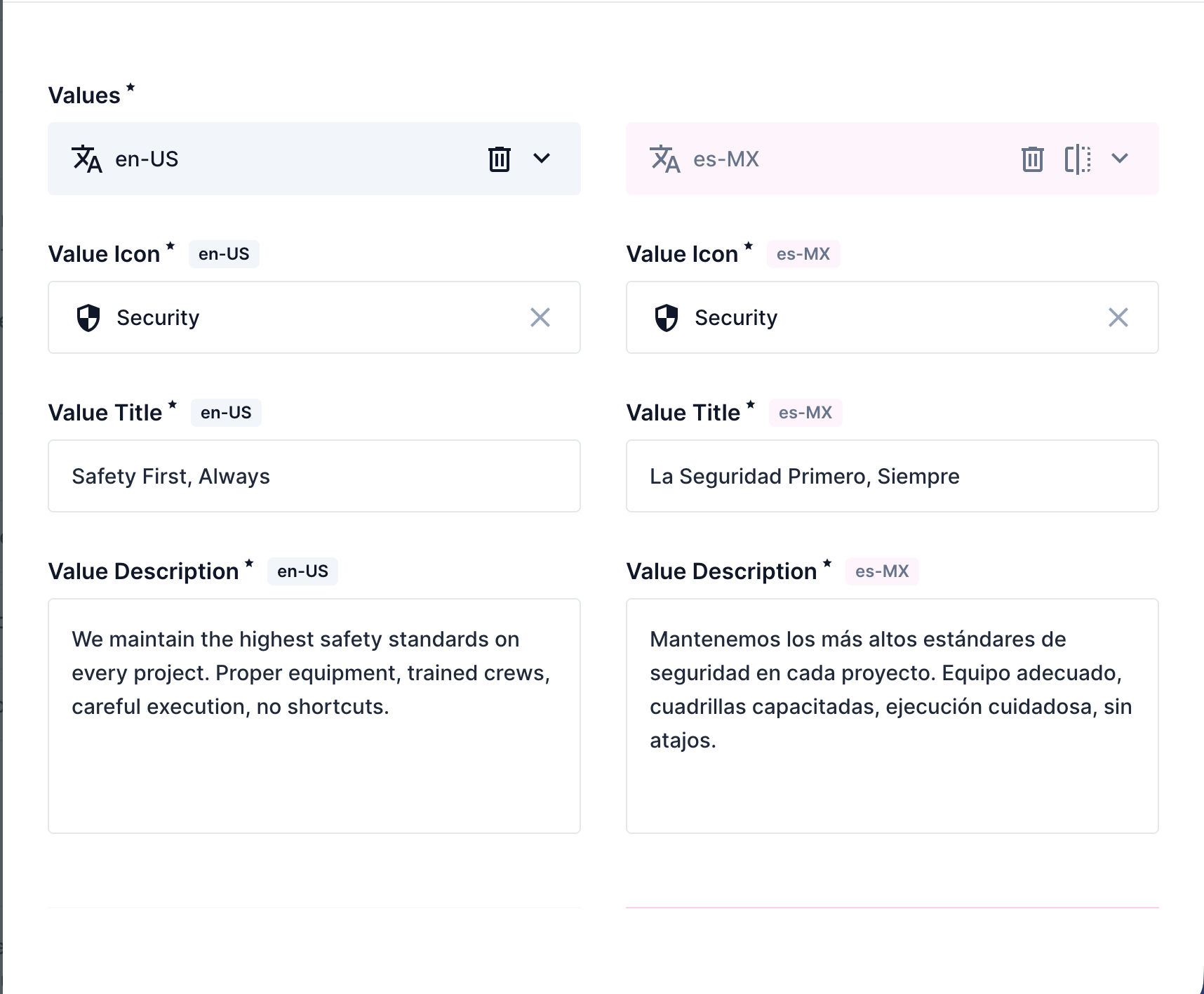
Section titled “Editing the Value Cards”Each value card (its name, icon, and description) is managed in the values collection.
- Click Content in the left sidebar.
- Click values.
- Click the value you want to edit (e.g., “Quality” or “Integrity”).
- Scroll to the Translations section.
- Click the English tab (or Spanish tab).
- Update the Value Title field (the name of the value) and the Value Description field.
- Click Save.
Adding a New Value Card
Section titled “Adding a New Value Card”- Click Content → values.
- Click + Create Item in the top right.
- Add a Value Icon (your developer can help choose the right icon name).
- Click into the Translations section, add the Value Title and Value Description in English, then repeat for Spanish.
- Click Save.