Trust & Expertise
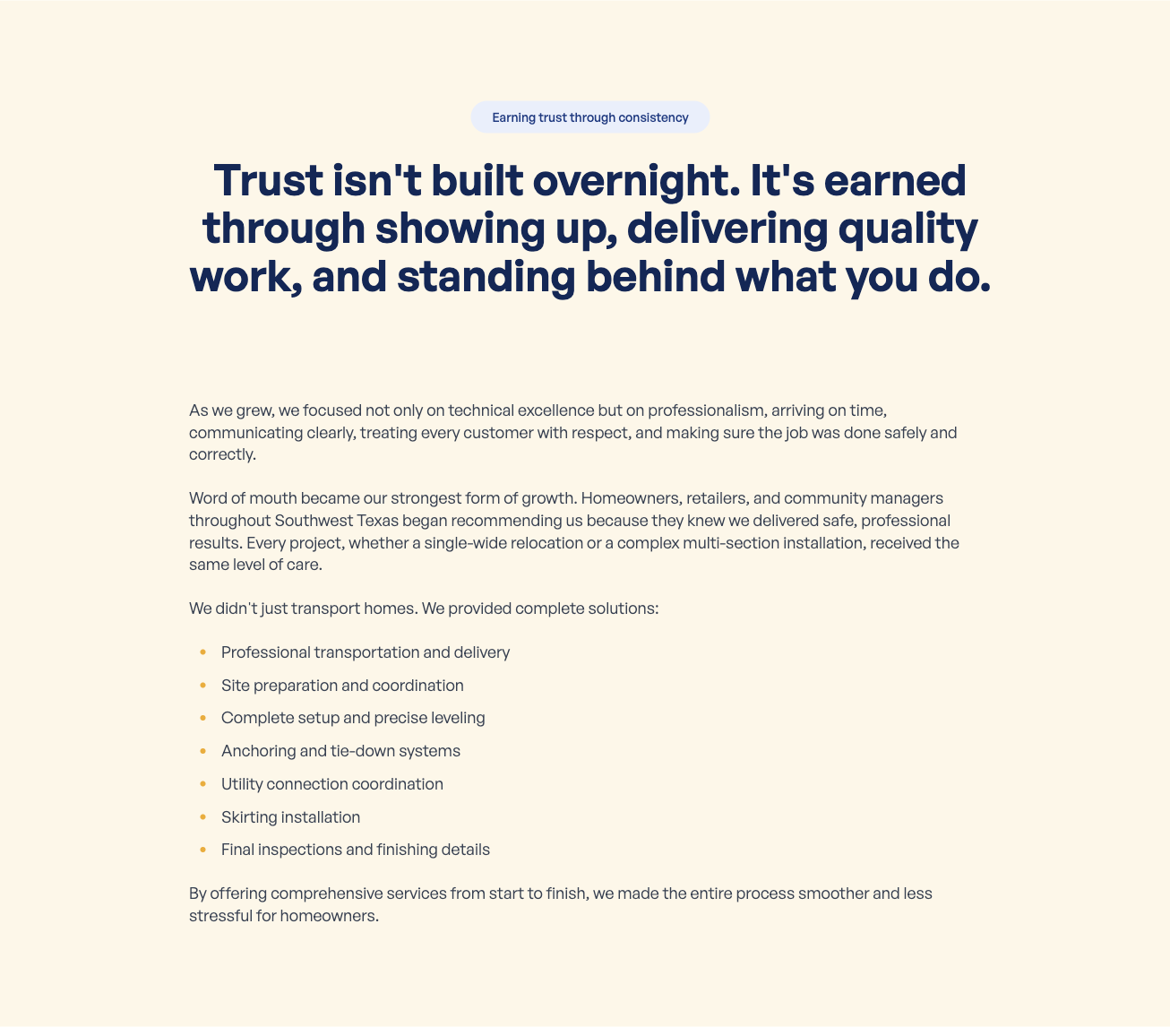
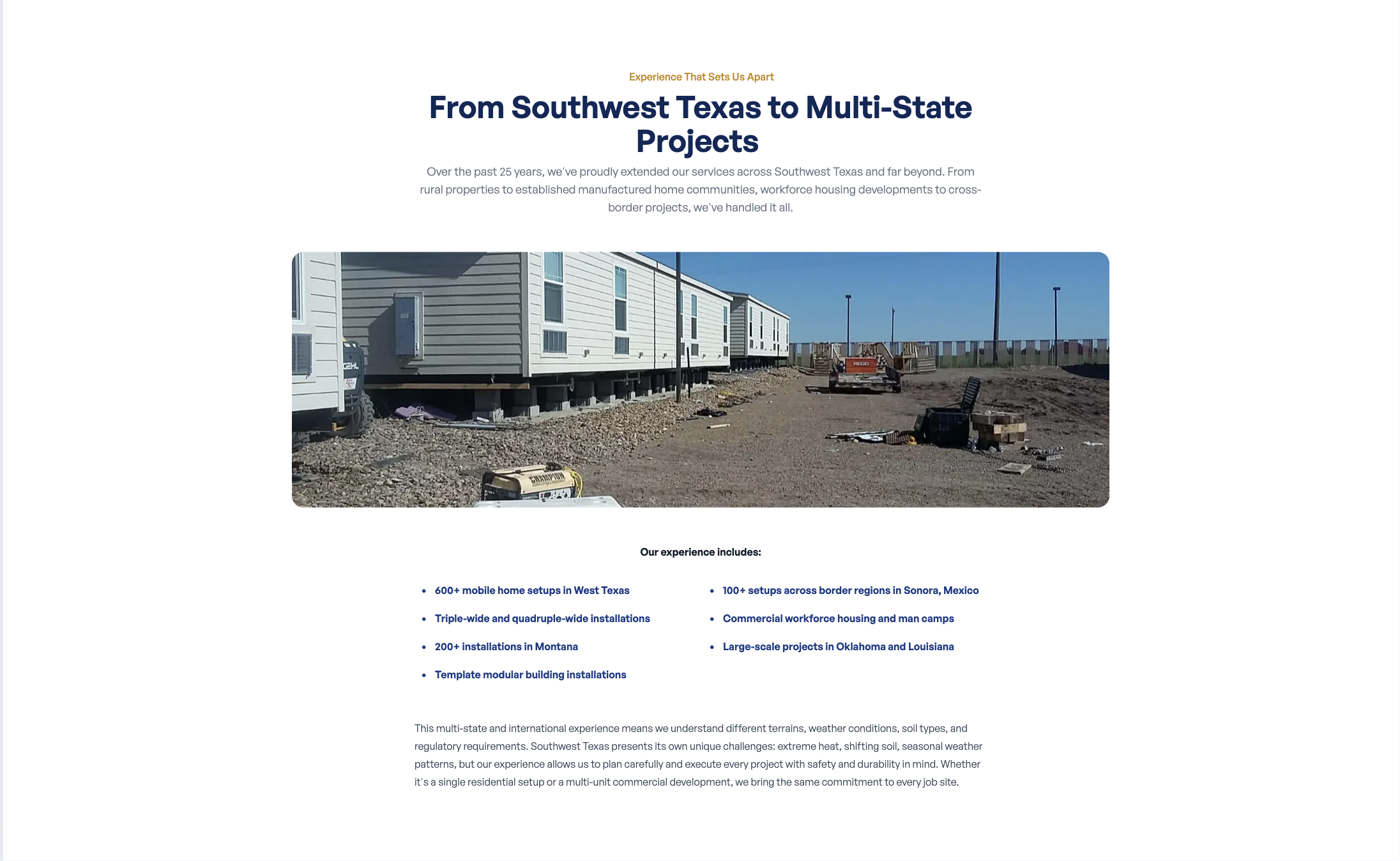
The Trust section builds confidence with visitors, and the Expertise section highlights your qualifications and experience. Both appear in the middle portion of the About page.
Where to Find It
Section titled “Where to Find It”- Log in to Directus.
- Click Content in the left sidebar.
- Click about (for English) or about_es (for Spanish).
- Scroll down to the Trust Section and Expertise Section fields.
Trust Section Fields
Section titled “Trust Section Fields”| Field | What it does |
|---|---|
| Title | The heading for the Trust section |
| Subtitle | A secondary line of text below the heading |
| Description | The description paragraph, supports markdown formatting |
Step-by-Step: Editing the Trust Section
Section titled “Step-by-Step: Editing the Trust Section”- Open the about collection.
- Click the Title field and update the heading.
- Click the Subtitle field and update the secondary text.
- Click the Description field and update the paragraph.
- Click Save.
Expertise Section Fields
Section titled “Expertise Section Fields”| Field | What it does |
|---|---|
| Title | The heading for the Expertise section |
| Subtitle | A secondary line of text below the heading |
| Description | The main description paragraph |
| Expertise Image | The photo displayed alongside the expertise content |
| Experience List | A bulleted list of experience highlights, supports markdown formatting |
Step-by-Step: Editing the Expertise Section
Section titled “Step-by-Step: Editing the Expertise Section”- Open the about collection.
- Click the Title field and update the heading.
- Click the Subtitle field and update the secondary text.
- Click the Description field and update the paragraph.
- To update the photo, click Expertise Image and upload a new image.
- Click the Experience List field and update the list of highlights.
- Click Save.
Formatting the Experience List
Section titled “Formatting the Experience List”The Experience List field uses markdown. To create a bullet list, start each line with - :
- 25+ years of hands-on experience- Licensed and insured in Texas- Serving Eagle Pass and surrounding areas since 1998- Specialized in leveling, plumbing, and electrical repairsFor the full markdown reference, see the Formatting Guide.