Commitment & Areas
The Commitment section describes your promise to customers. The Service Areas section highlights the cities and regions you serve. Both appear near the bottom of the About page.
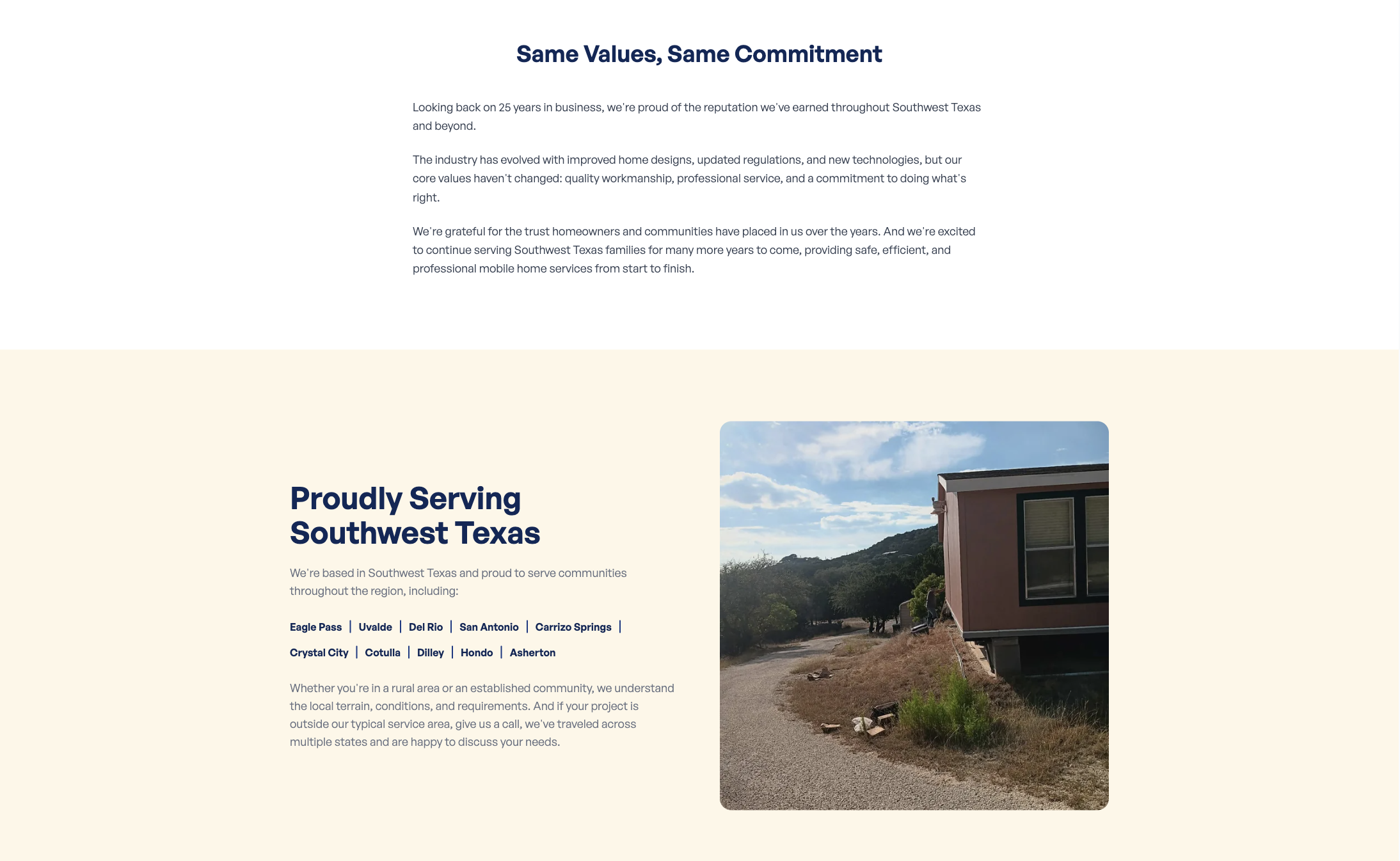
Where to Find It
Section titled “Where to Find It”- Log in to Directus.
- Click Content in the left sidebar.
- Click about (for English) or about_es (for Spanish).
- Scroll down to find the Commitment Section and Areas Section fields.
Commitment Section Fields
Section titled “Commitment Section Fields”| Field | What it does |
|---|---|
| Title | The heading for the Commitment section |
| Description | The full commitment statement, supports markdown formatting |
Step-by-Step: Editing the Commitment Section
Section titled “Step-by-Step: Editing the Commitment Section”- Open about (or about_es).
- Click the Title field and update the heading.
- Click the Description field and update the text.
- Click Save.
Service Areas Section Fields
Section titled “Service Areas Section Fields”| Field | What it does |
|---|---|
| Title | The heading for the Service Areas section (e.g., “Where We Serve”) |
| Intro Description | The intro paragraph before the city list |
| Outro Description | The closing paragraph after the city list |
| Service Area Image | The photo displayed in this section (e.g., a map or regional photo) |
Step-by-Step: Editing the Service Areas Section
Section titled “Step-by-Step: Editing the Service Areas Section”- Open about (or about_es).
- Click the Title field and update the heading.
- Click the Intro Description field and update the intro paragraph.
- Click the Outro Description field and update the closing paragraph.
- To update the photo, click Service Area Image and upload a new image.
- Click Save.